
What Is a Hotel CRM? Definition, Features, Examples
A hotel CRM stores guest data and automates messages, reviews and upsells around your PMS. See what it does, what it costs and if you need one.
Published on
November 24, 2026
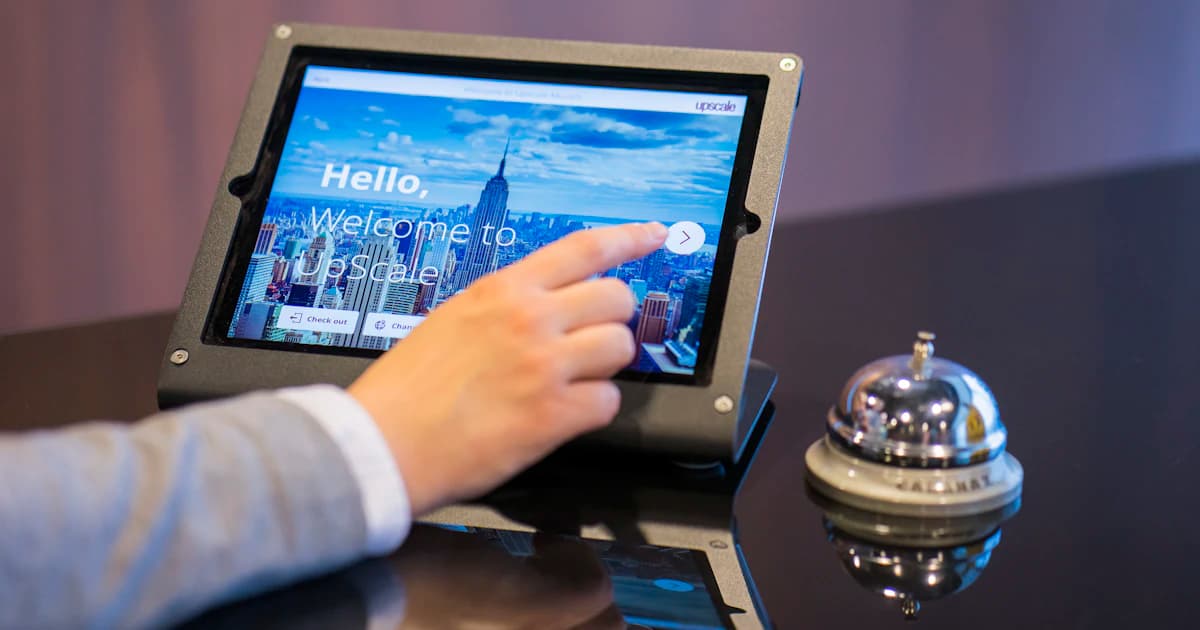
In short: A hotel CRM is software that keeps one profile per guest and uses it to send the right message, offer or review request at the right moment of the stay. It connects to your PMS, reads your reservations and automates what happens before arrival, during the stay and after departure. TriggerFlow is a hotel CRM with public prices, and its first plan is free.
If you run a small hotel, you probably already have the information a CRM needs. Some of it is in your PMS, some in your inbox, some in a spreadsheet, and a lot of it is in the head of whoever has worked the front desk longest. None of it is connected. And when that person leaves, the information goes with them.
A hotel CRM is the guest memory your PMS does not keep
A hotel CRM is a guest database that also acts: it stores everything you know about each guest and uses it to write to them, sell to them and ask for their feedback at the right time. CRM stands for customer relationship management. In a hotel, read it as guest experience: what you say and offer before, during and after the stay.
Take a guest on their third visit. Right now, the front desk only knows if someone happens to remember. With a CRM, whoever is on shift sees the profile: three stays, the room they liked, the breakfast they ordered. The memory belongs to the hotel, not to one employee.
A common trap is treating a newsletter list as a CRM. A list holds email addresses. It can't separate families from business travellers, and it can't send a message three days before a given guest's arrival date. A CRM can do both because it knows who the guest is and when they arrive.
The complete guide covers the selection process, set-up and the most common mistakes in more depth.
Read the complete hotel CRM guide
What a hotel CRM stores about each guest
A hotel CRM stores one unified profile per guest: identity, stay history, preferences, consents, survey answers, reviews, conversations and extra purchases. Each piece of data comes from a different source.
| Type of data | Where it comes from | What it is used for |
|---|---|---|
| Identity and contact details | PMS | Addressing the guest, sending confirmations |
| Stay history | PMS | Spotting returning guests, segmenting |
| Preferences (room, diet, arrival time) | Forms and messages | Personalising the welcome |
| GDPR consents | Booking and pre-check-in forms | Knowing who you may write to for marketing |
| Survey answers | Post-stay survey | Fixing problems, tracking satisfaction |
| Reviews | Google, Booking.com and others | Following reputation per guest |
| Email, SMS and WhatsApp exchanges | Messaging channels | Seeing the whole conversation in one place |
| Extra purchases | Upsell offers | Knowing what each guest actually buys |
The profile has to be deduplicated. A traveller who booked once through an OTA and once directly should not end up as two records. If they do, their history and their consents are split between the two.
OTA relay email addresses are a classic trap. A guest who booked through a platform often has an anonymous address that expires or never reaches them. Collecting the real email at pre-check-in, for example with an online form, is what makes later messages arrive.
The data also has to be collected legitimately. Never scrape or make up contact details. Under GDPR, consent to marketing is separate from the booking, and guests can still ask to see or delete their data. A serious hotel CRM records each consent and makes deletion a one-click job.
The TriggerFlow CRM module shows what a unified guest profile looks like in practice.
Where the PMS stops and the CRM starts
The PMS handles the reservation, the room plan and the invoice. The CRM handles your relationship with the guest around that reservation.
| PMS | CRM | |
|---|---|---|
| Goal | Run daily operations | Build the guest relationship |
| Core data | Reservations, rooms, rates, invoices | Guest profile, consents, conversations, feedback |
| When it is used | At booking, arrival, departure | Before, during and after the stay, and between stays |
| Who uses it | Front desk, housekeeping, accounting | Manager, owner, marketing, front desk |
| Example actions | Bill a stay, assign a room | Send a pre-arrival message, win back a past guest, ask for a review |
A CRM does not replace your PMS. It connects to the PMS and reads your reservations. TriggerFlow connects to Mews, Thaïs, Opera Cloud, Medialog, Misterbooking, Asterio and Apaleo. The Mews integration page shows how the sync works: reservations go straight into guest profiles, and nobody types them in again.
Some PMS include a marketing module. Most of the time it only does bulk sends, with no scenarios tied to where the guest is in their stay. That's fine for your annual announcement. It's not much use for a guest arriving on Friday.
What a hotel CRM does before, during and after the stay
A hotel CRM sends the right message at each stage of the stay automatically, using the reservation dates in your PMS.
| Stage | What the CRM triggers |
|---|---|
| Before arrival | Enriched confirmation, online pre-check-in form, offer of an upgrade or breakfast |
| During the stay | Welcome message, WhatsApp channel for guest requests, practical SMS on the day |
| After departure | Satisfaction survey, review invitation, offer to return |
Choosing the channel. Use SMS for anything urgent on arrival day, like a door code or a delay. Use email for longer content, such as a pre-arrival guide with photos. WhatsApp works best for back-and-forth, when a guest asks for something. TriggerFlow puts email, SMS and WhatsApp in the same guest profile.
Upselling before arrival. An upgrade or late check-out offered automatically a few days before arrival reaches guests while they're still planning their trip. See how upselling works in TriggerFlow. As a reference point, the average basket across TriggerFlow hotels is .
Reviews. Every guest gets the invitation to leave a review. Don't save the Google link for guests who seem happy: Google's rules forbid it. When a low rating comes in, the manager also gets an alert and calls the guest back. The TriggerFlow review module works this way. The guide to Google and Booking.com reviews explains the rules in detail.
Surveys. A short post-stay survey tells you what went wrong before it turns into a public review. The guest satisfaction survey guide covers when to send it and how to structure it.
Direct returns. The CRM remembers who came on business, who came with family and who came for a weekend, so you can write to each group differently and pay no OTA commission when they rebook. That's the idea behind loyalty and win-back campaigns.
Do independent hotels really need a CRM?
Yes, once the same person answers emails, welcomes guests and handles reviews. That's exactly where tasks get forgotten, and forgotten tasks cost you direct bookings and reviews.

Take a 20-room hotel with no marketing team. Three repetitive jobs take up the week: the pre-arrival message, the review requests and the follow-up with past guests. None of them is hard. All of them get skipped on a busy Saturday. Automating these three is where you get the time back.
Sometimes a CRM is not the priority. A very seasonal property with few repeat guests, where one person knows every guest by name, can get by on a spreadsheet for a while. But when that person is off, or the guest list outgrows one person's memory, the spreadsheet stops being enough.
The idea that CRMs are only for hotel chains comes from enterprise pricing, with set-up fees and minimum room counts. TriggerFlow has a free plan, no installation fee and no minimum number of rooms. It is used by 300+ hotels and rated 5/5 (3 Google reviews).
How to choose a hotel CRM without overpaying
Judge a hotel CRM on five points: a real PMS integration, a published price, no installation fee, the channels you need included, and GDPR compliance with hosting in Europe.
Ask every vendor these questions:
| Question | What a good answer looks like |
|---|---|
| Does it connect to my PMS? | Automatic reservation sync, not a CSV export you run by hand |
| Is the price published? | Yes, per month, on a public page |
| Is there an installation fee or a minimum room count? | No fee, no minimum |
| Which channels are included? | Email, SMS and WhatsApp in the same profile |
| Where is data hosted, and how is GDPR handled? | Europe, with consents recorded per guest |
TriggerFlow prices, per month:
| Plan | Price |
|---|---|
| Discovery | 0 € (free) |
| Communication | 69 € (99 € from 1 January 2027) |
| Conversion | 149 € (179 € from 1 January 2027) |
| All Inclusive | 249 € (299 € from 1 January 2027) |
The first plan is free, and every price is on the TriggerFlow pricing page. The higher prices start on 1 January 2027, so check the terms on that page on the day you subscribe.
Watch out for contracts that bundle modules you will never open, such as a revenue management add-on, or that lock you into a full pack from day one. An independent hotel should be able to start with what it needs and add more later.
A hotel CRM is not just a review tool or an upsell tool. Separate tools each keep their own list of guests, and those lists drift apart. With a CRM, surveys, reviews, messages and offers all read from and write to the same guest profile.
Stay informed
Receive our latest articles and tips directly in your inbox
Getting a hotel CRM running in one week
You can get a hotel CRM running in one week: spread five steps over five days and start with a single automated scenario.
| Day | Step |
|---|---|
| Day 1 | Connect the PMS |
| Day 2 | Clean and import your contacts |
| Day 3 | Turn on the pre-arrival message |
| Day 4 | Connect the post-stay survey and the review invitation |
| Day 5 | Check consents and test on a real reservation |
Start with one automated scenario, the enriched confirmation, and let it run for a while before adding others. If you switch on ten scenarios on day one, you won't be able to tell which one works and which one annoys guests.
Before any marketing send, check the legal basis: consent collected, an unsubscribe link in every message, and a record of both.
Then track three numbers of your own, without borrowing anyone else's benchmark. First, your online pre-check-in rate (the TriggerFlow reference point is ). Second, the number of reviews you get each month. Third, the number of survey responses.
If you're also automating room access, the smart locks guide is a good next read.
Want to see TriggerFlow running on your own reservations and your own PMS? Request a demo.
Frequently asked questions
What does CRM stand for in a hotel?
CRM stands for customer relationship management. In a hotel, it means one profile per guest, used to send messages, offers and review requests throughout the stay.
Is a hotel CRM the same as a PMS?
No. A PMS runs reservations, rooms and billing, while a hotel CRM manages the relationship with the guest around the booking. The CRM reads data from the PMS instead of replacing it.
How much does a hotel CRM cost?
With TriggerFlow, a hotel CRM starts at 0 € per month on the free Discovery plan. The paid plans are Communication at 69 € (99 € from 1 January 2027), Conversion at 149 € (179 € from 1 January 2027) and All Inclusive at 249 € (299 € from 1 January 2027). Many other vendors don't publish their prices.
Can a small independent hotel use a CRM?
Yes. TriggerFlow has no minimum number of rooms and no installation fee, and the free Discovery plan lets a small hotel start without a budget.
Which PMS can a hotel CRM connect to?
TriggerFlow connects to Mews, Thaïs, Opera Cloud, Medialog, Misterbooking, Asterio and Apaleo. Whatever the vendor, check that the integration syncs reservations automatically and doesn't rely on manual exports.
Is it allowed to ask only happy guests for a Google review?
No. Google's rules forbid inviting only satisfied guests to leave a review. A good hotel CRM sends the invitation to every guest and also alerts the manager when a rating is low, so they can call the guest back.
Ready to automate your guest communication?
Book a demo