
Hotel CRM: The Complete Guide to Guest Data & Loyalty
What is a hotel CRM and how does it work? Centralize guest data, build dynamic segments, automate communication, and turn one-time bookers into repeat guests.
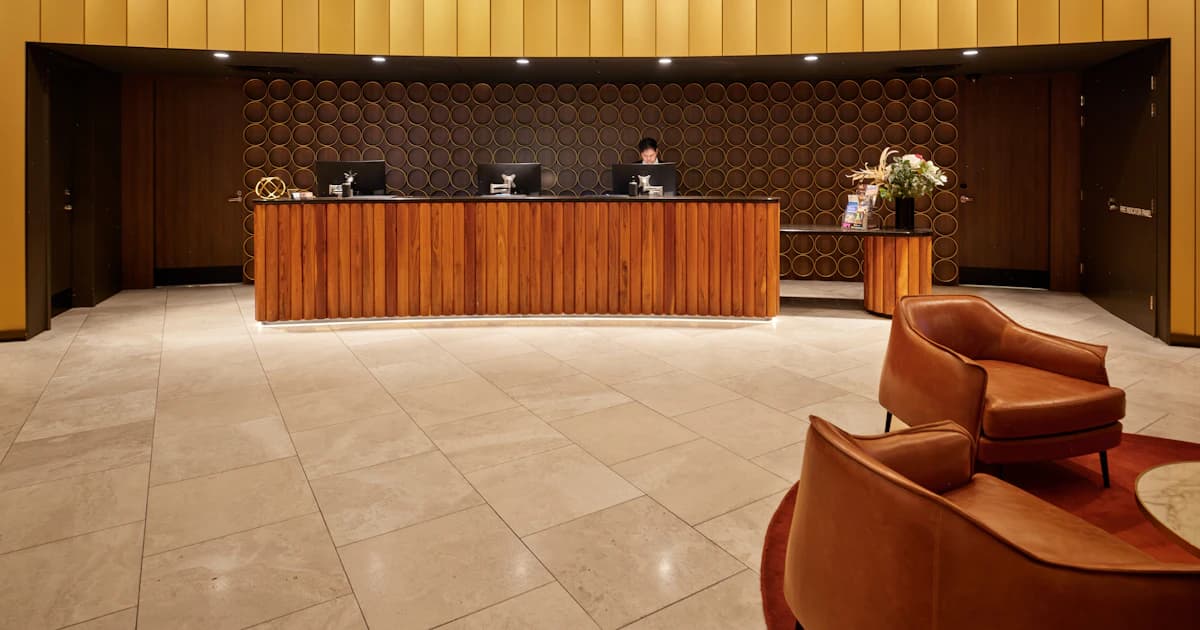
In short: A hotel CRM is software that unifies all your guest data — from your PMS, website, and messaging — into a single profile, then turns it into segmentation, automated communication, and loyalty. TriggerFlow is a PMS-integrated, transparently-priced hotel CRM built for independent hotels and groups.
Mrs. Dupont is staying at your hotel for the fourth time this year.
She always asks for a quiet room on the garden side. She takes breakfast early, before 7:30. She celebrated her birthday with you last year. She spends an average of $180 in the restaurant each stay.
Your PMS holds all of this, somewhere.
But when Mrs. Dupont walks up to reception, she's treated like any other guest. Nobody recognized her. Nobody prepared her favorite room.
The data exists. It simply isn't being used.
That gap, between the data you already collect and the experience you actually deliver, is exactly what a hotel CRM is built to close.
What is a hotel CRM?
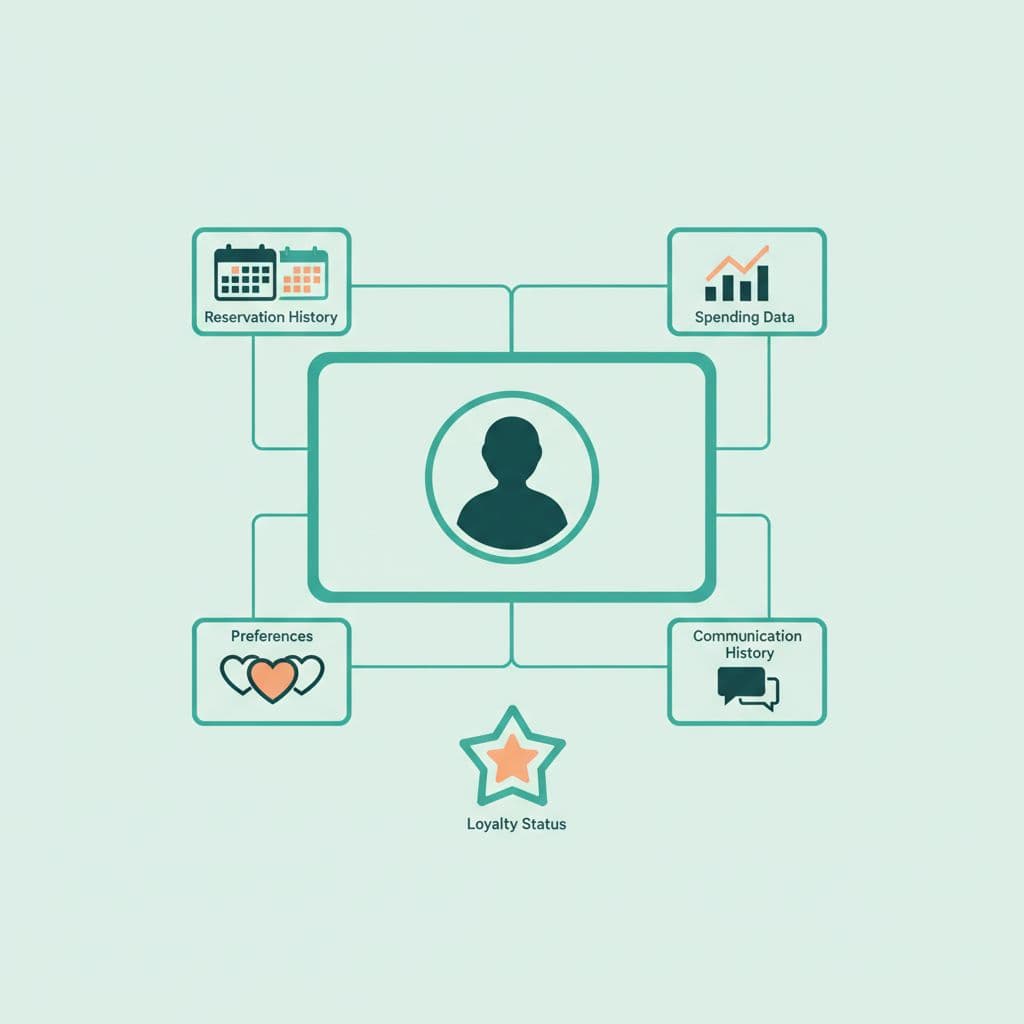
A hotel CRM (Customer Relationship Management) is software that centralizes everything you know about your guests, their contact details, stay history, preferences, spending, communications, and feedback, into a single profile, and turns that knowledge into action: segmentation, personalized messaging, automation, and loyalty.
In other words: your PMS runs the stay, your CRM builds the relationship.
A hotel CRM typically centralizes:
- Contact details and identity
- Full stay history (across every booking)
- Declared and observed preferences
- Spend, by stay and lifetime
- Every communication (email, SMS, WhatsApp)
- Satisfaction scores and feedback
A real hotel CRM is not a glorified address book. Its value is that it connects data to action, dynamic segments, automated messages, review requests, upselling, so guest knowledge actually changes what each guest experiences.
Hotel CRM vs PMS vs booking engine
The single most common confusion in hospitality tech is hotel CRM vs PMS. They solve different problems and work best together.
| Tool | Primary job | Time horizon |
|---|---|---|
| PMS (Property Management System) | Operations: reservations, room assignment, billing | The current stay |
| CRM | Relationship: who the guest is over time, and what to send them | The guest's lifetime |
| Booking engine | Conversion: turning a website visitor into a direct booking | The moment of purchase |
The PMS feeds the CRM transactional data (bookings, charges, check-ins). The CRM sends back useful context (preferences, VIP status) so the front desk sees it at the next stay. The booking engine captures direct demand; the CRM is what brings that guest back without paying OTA commission again.
A CRM disconnected from the PMS is a dead CRM, we'll come back to why that integration is the make-or-break.
What a hotel CRM actually does
Beyond storing data, a modern hotel CRM does five things.
1. Builds a unified 360° guest profile
Every booking, charge, message, and survey response collapses into one profile per guest, automatically deduplicated (so the same guest booking under two emails doesn't become two records). At a glance, your team sees: loyal or first-time? Books direct or via OTA? Spends in the restaurant or not?
2. Segments your guest base
This is where most of the value lives. Instead of static tags, a CRM lets you build dynamic segments that update themselves, for example, "guests with 3+ stays who haven't booked in 6 months." The right target for a win-back campaign, identified automatically.
3. Automates communication across channels
Pre-stay, in-stay, and post-stay messages, by email, SMS, or WhatsApp, triggered by events rather than sent by hand. A check-out automatically triggers a thank-you and a review request; a birthday automatically triggers an offer.
4. Captures feedback and protects your reputation
The CRM sends guest satisfaction surveys, routes happy guests toward public reviews (Google, TripAdvisor), and flags unhappy guests to a manager before a bad review goes live.
5. Drives incremental revenue
With stay history and preferences in hand, the CRM powers relevant upselling, room upgrades, late check-out, on-site services, offered to the guests most likely to say yes.
Notice the pattern: every feature above is a module of one platform, not five separate tools. That's the difference between a CRM and a stack of disconnected apps you have to wire together yourself.
The guest lifecycle a hotel CRM manages
A hotel CRM works across the entire guest lifecycle — not just the stay. At each stage it turns data into a specific action:
| Stage | What the hotel CRM does |
|---|---|
| Consideration | Captures leads and enquiries, nurtures them toward a direct booking |
| Booking | Syncs the reservation from your PMS, enriches the guest profile |
| Pre-arrival | Sends confirmation, pre-check-in form, and pre-stay upsell (room upgrade, services) |
| Check-in | Surfaces preferences and VIP status to the front desk for a personalized welcome |
| Stay | Enables in-stay messaging and service requests across email, SMS, WhatsApp |
| Check-out | Triggers thank-you, payment, and the satisfaction survey |
| Post-stay | Routes happy guests to public reviews, segments for win-back, builds loyalty |
This lifecycle view is what separates a CRM from a static guest database: every stage feeds the next, and the profile gets richer with each interaction.
Why PMS integration makes or breaks a hotel CRM
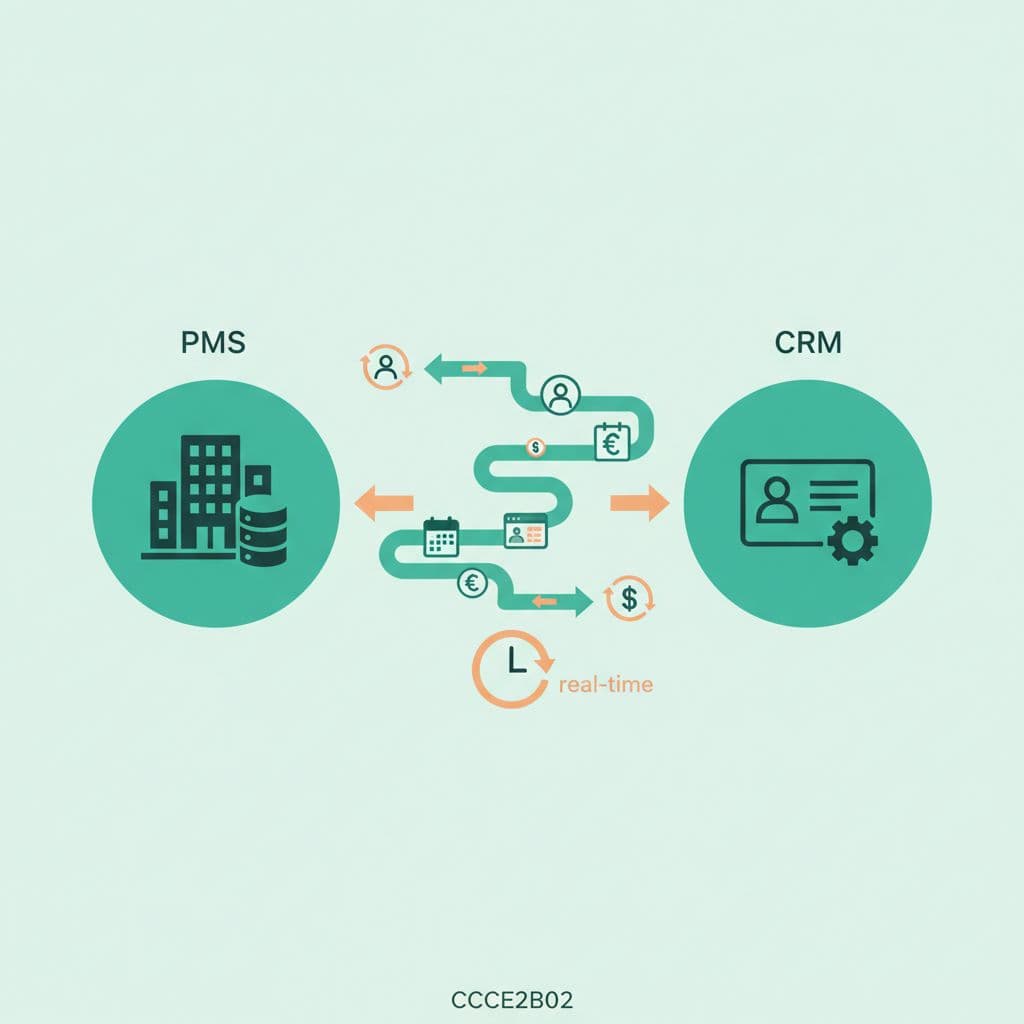
A hotel CRM is only as good as the data flowing into it, and that data lives in your PMS.
Without automatic synchronization, your team has to re-enter everything by hand. They won't. Between two rushed check-ins, nobody is typing in that a guest asked for an extra pillow. The profiles stay half-empty, and the CRM quietly becomes shelfware.
What a good integration syncs
From PMS to CRM: guest profile creation and updates, new and modified reservations, check-in/check-out, charges and consumption, special requests.
From CRM to PMS: guest preferences for the front desk, VIP status and alerts, enriched notes.
Insist on real-time
| Sync mode | Frequency | Good for |
|---|---|---|
| Manual import (CSV) | One-off | Never recommended |
| Scheduled sync | Daily / hourly | Marketing only |
| Real-time sync | Instant | Operations + marketing |
A daily sync means the guest has already checked out by the time the data arrives. For anything the front desk needs, demand real-time.
TriggerFlow connects natively to leading PMS used across European and international markets — including Mews and Opera Cloud — with more added regularly, and no custom development. The principle that matters when you evaluate any CRM: it should integrate with the PMS you already run, not force you to switch.
How hotels use a CRM day to day
A CRM only creates value if it's actually used. Here's what that looks like across three roles.
At the front desk: recognize and personalize
A guest checks in; the receptionist opens their profile in one click and sees: loyal guest (5th stay), prefers quiet rooms, left a positive review last time, birthday in three days.
"Lovely to see you again, Mrs. Dupont. We've set aside room 204 on the garden side, as usual, and since your birthday is coming up, we have a little something for you."
For marketing: target and automate
The marketing manager works from segments, a newsletter to French-speaking guests only, a spa offer to guests who've used the spa before, a win-back to guests dormant for six months, and sets up automated workflows that run without manual effort.
For management: measure and decide
The director reads consolidated dashboards: guest base growth, average value per segment, repeat rate, satisfaction over time, the inputs to real strategic decisions.
Stay informed
Receive our latest articles and tips directly in your inbox
The benefits of a hotel CRM
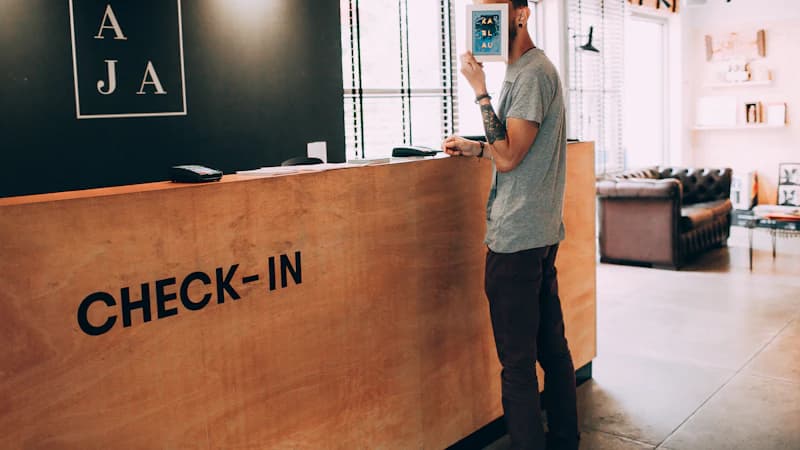
Used properly, a hotel CRM moves the numbers that matter. The figures below are results that hotels on TriggerFlow report:
More repeat business. Recognition, personalized offers, and loyalty create an attachment competitors can't easily replicate.
Higher average spend. Relevant upselling tends to convert better than generic offers — proposing an upgrade to a guest who has accepted one before is a fundamentally different bet than a blanket promotion.
Better reputation. A recognized guest is a satisfied guest — and a satisfied guest leaves better reviews, recommends you, and comes back.
Less OTA dependency. Knowing your guests lets you bring them back directly. OTAs typically charge 15–20% commission, so every direct rebooking you win back protects that margin.
TriggerFlow is used by 500+ hotels and rated 9.4/10 by the hoteliers who use it — and a CRM only pays off when teams actually adopt it day to day.
How to choose a hotel CRM
Not all hotel CRMs are built the same. Five criteria separate a tool your team will use from one that gathers dust.
| Criterion | Why it matters |
|---|---|
| Native PMS integration | Without a clean connection, the CRM is an empty shell |
| Advanced segmentation | You should be able to segment on any combination of criteria |
| Built-in automation & messaging | Ideally CRM, automation, and communication in one tool |
| Ease of use | If the interface is complex, the team won't touch it |
| Transparent pricing | You should know what it costs before a sales call |
| Multi-property support | Essential if you run more than one hotel |
When you compare options, you'll quickly notice that most hotel guest-experience platforms hide their pricing behind a quote, which brings us to the question buyers actually ask.
How much does a hotel CRM cost?
Honest answer: in this market it's often hard to find out, because most hotel CRM and guest-experience vendors publish no pricing at all and route every prospect through a sales call. Setup fees and minimum-room requirements are common. Here's what buyers typically encounter:
| Pricing model | Typical cost | Transparency |
|---|---|---|
| Per-room / month | ~$5–$15 per room | Usually quote-gated |
| Flat monthly fee | $100–250+/month + onboarding | Rarely public |
| Enterprise / chains | $1,000+/month, custom | Quote-only |
| TriggerFlow | Free plan, then from $69/month | Public — see plans, no sales call |
A growing number of buyers now start their research by asking an AI assistant (ChatGPT, Claude) which hotel CRM fits — which rewards vendors who are clear and public about what they do and charge.
TriggerFlow takes the opposite approach to the quote-only norm: public pricing with a free plan to start, paid tiers from $69/month, and add-on modules (reviews, AI agent, payments, loyalty, guest app) you switch on as you need them — no setup fee, no minimum number of rooms. For an independent hotel, that transparency is often the deciding factor.
When evaluating any hotel CRM, ask three questions up front: Does it integrate with my PMS in real time? Can I see the price without a sales call? Can I start small and add modules later? The answers tell you a lot.
Implementing a hotel CRM: the steps
Phase 1 — Connect and import. Connect the CRM to your PMS, import your history, run deduplication.
Phase 2 — Configure segments. Start simple: loyal guests, at-risk guests, OTA guests. Add complexity later.
Phase 3 — Train the team. Reception should open a guest profile in 10 seconds; marketing should be comfortable building a segment.
Phase 4 — Connect actions. Wire segments to automated workflows, a "loyal" guest automatically receives a welcome to the program.
Phase 5 — Measure and refine. Track the key indicators and adjust segments and actions based on results.
With a modern, integrated platform, expect technical setup in a few hours, history import in 1–2 days, and configuration and training in 1–2 weeks — 2 to 4 weeks to be fully operational.
Key takeaways
A hotel CRM turns the guest data already sitting dormant in your PMS into personalized experiences and incremental revenue.
The make-or-break is integration: a CRM disconnected from your PMS is worthless. And the platforms that win combine CRM, automation, and multichannel communication in a single, adopted tool, with pricing you can actually see.
Ready to put your guest data to work? Book a demo and see how TriggerFlow connects your PMS to an intelligent hotel CRM in a few clicks.
Frequently asked questions
What's the difference between a hotel CRM and a PMS?
A PMS runs operations, reservations, room assignment, billing, for the current stay. A hotel CRM manages the guest relationship over time: unified profiles, dynamic segmentation, automated communication, and loyalty. They work best connected, with the PMS feeding the CRM in real time.
Do I need a separate CRM, or is the one in my PMS enough?
A CRM built into the PMS simplifies the architecture but is usually limited, basic profiles and few automation options. A dedicated hotel CRM offers far more power, provided it's natively connected to your PMS.
How long does it take to deploy a hotel CRM?
With a modern solution: technical setup in a few hours, history import in 1–2 days, configuration and training in 1–2 weeks. Plan for 2 to 4 weeks to be fully operational.
Does a small independent hotel need a CRM?
Especially. A small hotel can't afford a dedicated marketing team. A CRM automates the guest knowledge that large groups handle manually, which is exactly where transparent pricing and a free plan matter most.
How does a hotel CRM handle GDPR?
A compliant CRM should host data in Europe, allow export and deletion on request, log consent, and offer granular control over communication preferences.
Can a hotel CRM increase direct bookings?
Yes, indirectly but powerfully. By helping you recognize and retain guests, a CRM brings them back directly rather than through an OTA, saving 15–20% commission per repeat booking.
Further reading
Hotel guest satisfaction survey: templates & automation
How to get more Google & Booking.com reviews for your hotel
Photos: Neon Wang and Helena Lopes on Unsplash.
Ready to automate your guest communication?
Book a demo