
Unify Guest Data Across Systems: A Hotel Guide
Guest data sits in your PMS, POS, OTA extranets and email tool. Here is how an independent hotel can merge it into one usable guest profile.
Published on
November 10, 2026

A guest books on Booking.com, has dinner at your bar, checks out, and a week later answers your satisfaction survey. Three tools now hold three partial records. None of them knows it is the same person.
Most advice on this assumes a chain with a data team and a budget for a customer data platform. You probably have a front office manager, a PMS, and a handful of tools bought one at a time over the years. That is the hotel we have in mind here. And nothing below asks you to replace the PMS you already run: everything sits on top of it.
Where your guest data actually lives today
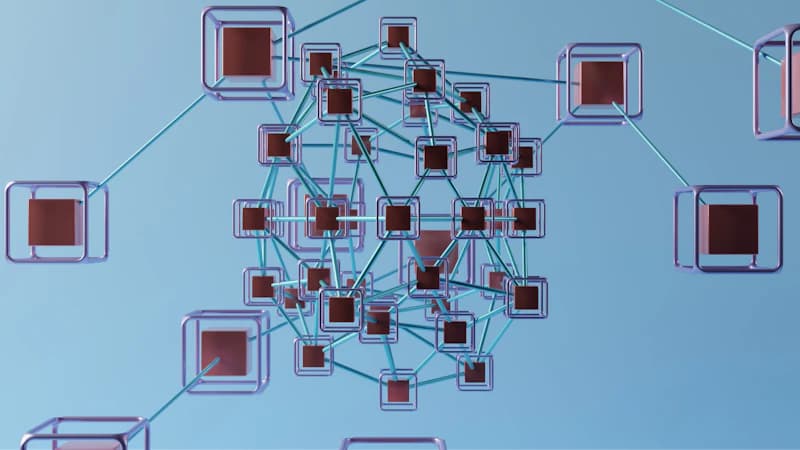
Four silos hold most of what you know about a guest, and each one keeps a different piece.
- PMS: identity, stay dates, room, rate, folio.
- POS (restaurant, bar, spa): what the guest ordered and spent outside the room.
- OTA extranets: booking source, a masked email address, special requests typed at booking.
- Marketing tools: newsletter consent, opens, clicks.
The PMS is the closest thing you have to a master record, but PMS vendors don't all open up their data the same way. Mews, Opera Cloud, Medialog, Thais and Misterbooking each share guest data in their own way: a native API, a scheduled export, or a connector in a marketplace. Find out which one yours offers before you plan anything, because that decides how automatic the link can be.
Then come the silos nobody draws on a diagram. The notebook at the front desk. The Google review inbox. WhatsApp on a shared phone. The spreadsheet where survey answers pile up. These often hold the details that matter most, like "asked for a quiet room again" or "was unhappy about breakfast."
Spend thirty minutes with your front office manager and list every tool that holds a guest name or email, who owns it, and how often it gets updated. The list is almost always longer than either of you would have guessed.
What fragmented data costs at the front desk
You have seen most of these at your own desk.
- A repeat guest is greeted as a stranger because the PMS holds two profiles for them, under two spellings or two emails.
- The quiet room or late checkout promised during one stay never reaches the next booking. It lived in someone's head, or in the notebook.
- Marketing sends a cheerful newsletter to a guest who complained last week. Or it pushes a spa package to someone who bought one at the desk yesterday.
- When a low score shows up on Google, nobody can tie it to a stay, so nobody calls the guest back.
- Staff re-type the same details from one screen into another, every day.
That last one is pure lost time. Across TriggerFlow customers, the hours saved come to , and ending double entry between systems is one of the reasons. None of these problems looks serious on its own. But a returning guest notices every one of them.
Decide what a unified guest profile must contain
Start with the minimum. A short profile that is always right beats a long one that nobody fills in properly.
| Field | Source system | Sync frequency | Who can edit |
|---|---|---|---|
| Identity (name, nationality, language) | PMS | Real time or daily | Front office |
| Contact and consent per channel | PMS, forms, marketing tool | Real time | Front office, guest via form |
| Stay history (dates, room, rate) | PMS | Real time or daily | Read only |
| Spend by outlet | POS | Daily | Read only |
| Booking source | PMS, OTA extranet | At booking | Read only |
| Preferences | Guest forms, staff notes | At capture | Front office, guest |
| Feedback and review status | Surveys, review platforms | As received | Read only, manager adds follow-up |
Three rules keep the profile useful.
Separate declared from observed data. "Feather-free pillows," which the guest told you, is not the same kind of fact as "ordered red wine twice," which you noticed. Blend them in one free-text note and six months later nobody can tell which is a fact and which is a guess.
Leave out what you cannot justify. GDPR purpose limitation means you need a reason for every field. Health data is the classic trap. Noting an allergy so the kitchen can act on it is fine. A permanent medical field on a marketing profile is not.
Pick one source of truth for identity. For most independents that is the PMS. Everything else attaches to the PMS guest record, never the reverse.
Matching records without a data team
Matching is where these projects stall, usually because someone tries to be clever. Use a fixed order of keys and stop at the first one that hits:
- PMS guest ID
- Email address
- Phone number
- Name plus stay dates, as a last resort, and only with a human check
Write the merge rules down before you connect anything. Which record wins when two disagree? What happens to a confirmed duplicate? Who signs off on a doubtful match? One page is enough, but someone has to write it.
The OTA masked email problem
Booking.com and Expedia hand you relay addresses, and these often stop working after the stay. Your post-stay email then goes nowhere. The fix is to ask for the real address while the guest still has a reason to reply: in a pre-arrival form or during online check-in. TriggerFlow's forms are built for exactly this. Online check-in across TriggerFlow properties stands at , and every check-in is a chance to swap a relay address for a real one.
Watch for families sharing one email, a corporate booker or assistant who is not the guest, and spelling variants with accents (Müller, Mueller, Muller). Never auto-merge on name alone.
Clean first, connect second
Deduplicate your PMS export once before linking anything. It is dull work, an afternoon or two. Skip it and you copy the mess into a second tool, where it keeps growing. That afternoon spares you months of "why did this guest get two emails?"
Manual exports, connectors or a CRM: how to connect your systems
Manual exports and spreadsheets. Free, and workable for a very small property. It breaks the first week someone forgets the Monday export, and nobody notices until a guest gets the wrong email.
Point-to-point connectors. One link from the PMS to the email tool, another from the POS to the PMS, another for surveys. Fine until you have five tools, ten fragile links, and one vendor changes its API on a Friday.
A hotel CRM on top of the PMS. The CRM reads the PMS and takes in the other sources, so you get one profile and one place to segment and automate. Our hotel CRM guide covers the basics, and the CRM module page shows how it works day to day.
| Manual exports | Point-to-point connectors | Hotel CRM on the PMS | |
|---|---|---|---|
| Setup effort | Low at first | Medium, grows with each link | Medium, once |
| Monthly cost profile | None | Several small subscriptions | One subscription |
| Maintenance | Constant, by hand | High, many links to watch | Low, one place |
| Risk of duplicates | High | Medium to high | Low, with matching rules |
| Fit for a 20 to 80 room independent | Only the smallest | Short term | Good |
Two honest caveats. If you run a group with several properties and a data analyst on staff, a generic customer data platform can make sense. And if all you send is a monthly newsletter, the marketing module in your PMS may do the job. But most independents want the survey, reviews, messaging and PMS data in one place, and that is where a hotel CRM fits best.
TriggerFlow is built for that case. It plugs into the PMS you already have, the prices are public, and there is no install fee and no minimum room count. The Discovery plan is free (0 € per month), and paid plans start at 69 € per month (99 € from 1 January 2027). The pricing page lists every plan. For a concrete look at how a PMS feeds the profile, see the Mews integration.
Put the unified profile to work in the guest journey
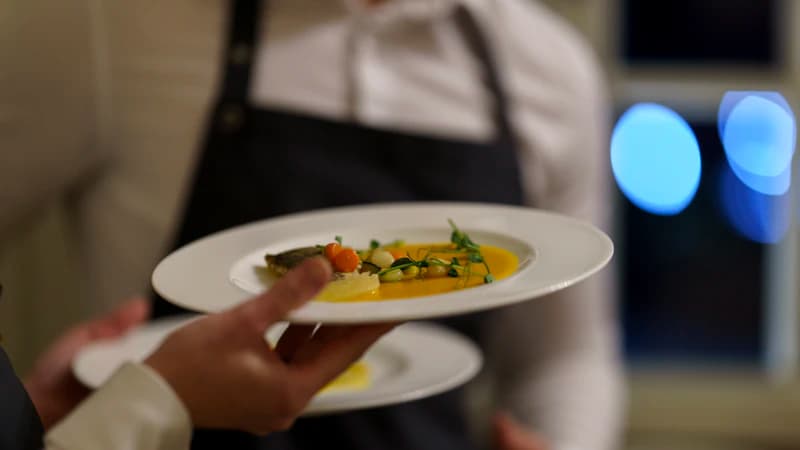
All that cleanup only pays off if the guest notices a difference. Here is where they will.
Before arrival. The booking source and any special request land on the guest record. A pre-arrival message goes out by email, SMS or WhatsApp, in the guest's language and only on channels they agreed to, asking for the real email and a few preferences. An upsell offer for an upgrade or breakfast goes only to guests it actually suits.
During the stay. Reception can see it is the third visit, that the guest likes a quiet room, and that they ate at the bar last time. So the greeting changes. The restaurant benefits too: the waiter knows it is an anniversary because someone stored it instead of forgetting it.
After the stay. Every guest gets the survey and the invitation to leave a review. No filtering, and no sending the Google link only to happy guests: that breaks Google's rules and skews your own picture. What the profile adds is context. When a guest scores low, the manager gets an alert on top of the normal flow and calls the guest back with the stay, the room and the complaint on screen. Our guides to review management, Google and Booking reviews and the guest satisfaction survey go further, and the reviews module runs the whole flow.
Between stays. With spend by outlet and stay history on the profile, a loyalty programme is easy to run, and fair to the couple who come back every autumn.
Keep the data clean and compliant
Once you have one profile, keeping it accurate is the job. Five habits cover most of it.
- Consent per channel. Email, SMS and WhatsApp consent sit on the profile, and every automation checks them. No exception for "just this one campaign."
- A retention rule. Decide how long inactive guest records stay, and who deletes them. Put it in writing.
- Access and erasure requests. You answer once from one profile, instead of digging through four systems and hoping nothing was missed.
- A named owner. One hour a week from the front office manager is plenty. If nobody is named, it doesn't get done.
- Monthly checks. Track the duplicate rate, the share of profiles with a real email, and bounced addresses. A growing bounce list means your OTA email capture is leaking.
Where should an independent hotel start?
Four weeks is realistic, without an IT project.
- Week 1: audit. Do the tool inventory and agree on the field list from the table above.
- Week 2: PMS cleanup. Deduplicate the export and fix the worst records.
- Week 3: connect. Link the PMS to one other source, usually the survey or the POS.
- Week 4: launch one automation. A post-stay flow that reaches every guest is a good first choice.
Settle on one win you can measure before you start. Fewer duplicate profiles, or a post-stay message that reaches every guest: either can be checked in a minute.
Want to see your own PMS data in a single profile? Request a demo. Or start on the free Discovery plan and see how far it takes you.
Stay informed
Receive our latest articles and tips directly in your inbox
Frequently asked questions
What does it mean to unify guest data across systems?
It means linking every record your systems hold on the same guest (PMS, POS, OTA, marketing, surveys) into one profile with one identity and one history. Every team and every automation then works from the same facts.
Do I need to replace my PMS to unify guest data?
No. The PMS usually stays the source of truth for identity. A CRM connects to it, whether you run Mews, Opera Cloud, Medialog, Thais or Misterbooking, and adds the other sources around it.
How do I get a real email address from OTA bookings?
Ask the guest for it before arrival, in a pre-arrival form or during online check-in. OTA relay addresses often stop working after checkout, so you need the real one while the guest is still engaged.
Is unifying guest data compliant with GDPR?
Yes, provided you have a lawful basis, store consent per channel, collect only what you need, set a retention period and can answer access and erasure requests. One profile makes all of that easier to prove.
How much does it cost for a small independent hotel?
Nothing to start: TriggerFlow's Discovery plan is 0 € per month. Paid plans start at 69 € per month (99 € from 1 January 2027), with no install fee and no minimum number of rooms. The pricing page has the full list.
What should I unify first?
PMS guest identity plus survey and review feedback. It is the cheapest link to build, and the one that most quickly improves how you recover unhappy guests and talk to everyone after their stay.
Ready to automate your guest communication?
Book a demo