
Guest Satisfaction Score: Measure, Track, Act
How to calculate a guest satisfaction score for your hotel, track it by touchpoint and react fast to low ratings. Formulas, benchmarks and a free way to start.
Published on
November 3, 2026
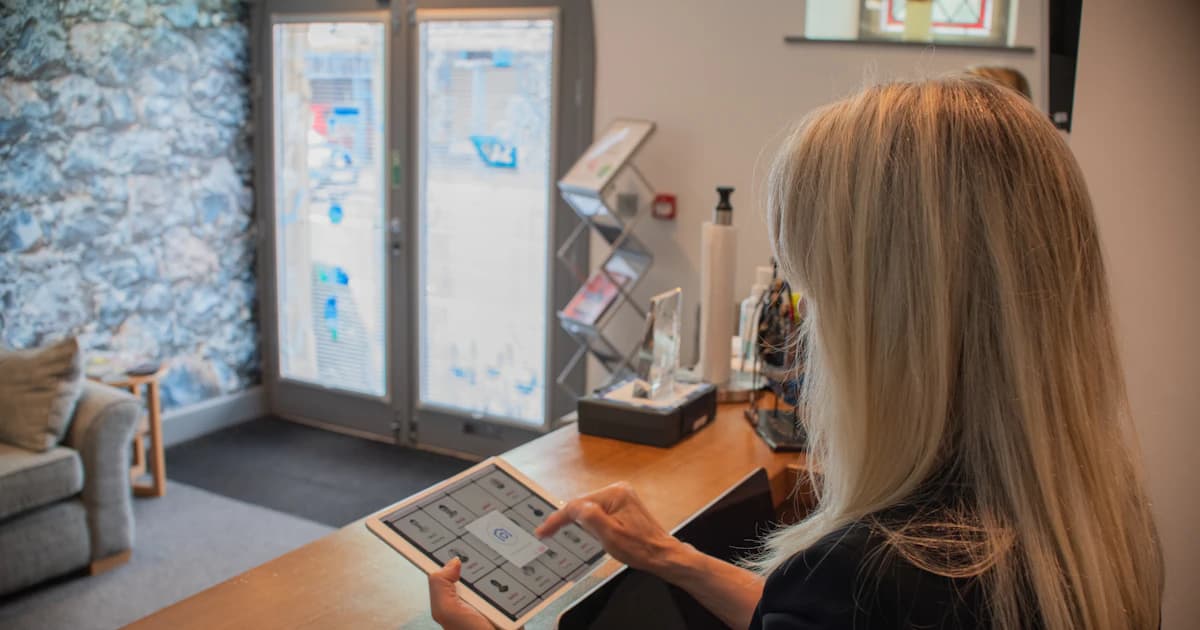
Ask three people in your hotel how guests feel about their stay and you will get three answers. The owner quotes the Booking.com score. The front desk remembers the angry guest from Tuesday. Housekeeping has no number at all.
A guest satisfaction score gives all three the same reference: one figure, built from your own post-stay survey, read the same way at every desk. Calculating it takes ten minutes. Making it useful takes a bit more discipline, and that is most of what follows.
One score, three different numbers hotels mix up
The guest satisfaction score is the average rating guests give their stay, usually on a 1 to 5 or 1 to 10 scale, collected after departure. It comes from your own survey, sent to your own guests.
Two other numbers get confused with it:
- NPS asks "how likely are you to recommend us?" on a 0 to 10 scale. You subtract the share of detractors (0 to 6) from the share of promoters (9 to 10).
- The public review score on Google or Booking.com only reflects guests who chose to write. That is a different population, and usually a more extreme one.
Do not compare your internal 4.6/5 with a Booking.com 8.9/10 without converting the scale. 4.6/5 is 92%. 8.9/10 is 89%. Until both sit on the same base, your internal score can look better or worse than it really is.
Each number has its own job. The satisfaction score is the operational one: what went wrong this week, and where. NPS moves slowly and tells you about loyalty over months. The public rating is about reputation and how you rank on the platforms.
Then pick one primary number for the team. When the front desk, housekeeping and the owner open the same figure every Monday, nobody wastes the first ten minutes arguing about which score is the real one. For the wider picture of how these signals fit together, see the hotel guest satisfaction survey guide.
Hotel guest satisfaction survey: the complete guide
Calculating the score, with a worked example
The basic formula is the sum of all ratings divided by the number of responses.
Take a month with 40 responses on a 1 to 5 scale: 22 guests gave a 5, 11 gave a 4, 4 gave a 3, 2 gave a 2 and 1 gave a 1.
- Sum: (22 × 5) + (11 × 4) + (4 × 3) + (2 × 2) + (1 × 1) = 110 + 44 + 12 + 4 + 1 = 171
- Average: 171 ÷ 40 = 4.28
The percentage version (CSAT %) is the share of guests rating 4 or 5. Here that is 33 guests out of 40, so 82.5%. It works better than the average when you want a target people remember ("keep 85% of guests at 4 or 5"), or when a couple of very low ratings drag the mean around.
The weighted version averages category scores (room, cleanliness, staff, breakfast, value, location) with weights you choose. If most of your guests are couples on short breaks, cleanliness and room probably deserve more weight than location. Write the weights down and leave them alone. Change them every quarter and the trend means nothing.
| Method | What it tells you | Best used for |
|---|---|---|
| Average (sum ÷ responses) | Overall mood of the stay | Weekly operations tracking |
| % satisfied (4 or 5) | Share of clearly happy guests | Setting a simple target |
| Weighted category score | Performance on what matters to your clientele | Hotels with a clear guest profile |
| NPS (promoters minus detractors) | Likelihood to recommend | Loyalty trend over months |
Response rate matters as much as the score itself. A 4.8 on 6 responses tells you nothing. Set a minimum sample before you read a trend: 30 responses in the period is a sensible floor. Below that, read the comments and ignore the average.
Every checked-out guest should receive the survey. The denominator for your response rate is stays, not the guests who happened to email you back. If you only count people who answered a personal message, you get a flattering score that is also wrong.
Collect the data from every guest, not only the happy ones
Send the survey to every departed guest, automatically, from the stay record in your PMS (Mews, Opera Cloud, Medialog, Thais, Misterbooking). When the send depends on someone remembering, the guests who checked out on a rushed Sunday morning are the ones who get skipped.
Timing. The day after check-out, mid-morning, while the stay is fresh. One reminder after 3 days, then stop.
Channel. Email by default. For guests who booked with a mobile number and no usable email (OTA masked addresses are the classic gap), switch to SMS or WhatsApp.
Length. Three to five questions: one rating per touchpoint plus one open comment. Long surveys get abandoned halfway, and the ratings you do get skew toward the guests with the most to complain about. For wording, see the survey question guide.
Never send the Google review link only to high scorers. Google forbids review gating. Every guest gets the invitation to leave a review. Your satisfaction score stays a separate, internal measure: a low score adds a call from your manager, it never removes the invitation.
TriggerFlow Forms builds the survey, and the PMS integration triggers the send from the stay itself. Mews is the documented example, and the logic is the same with the other PMS listed above.
Split the score by touchpoint to see where stays are lost
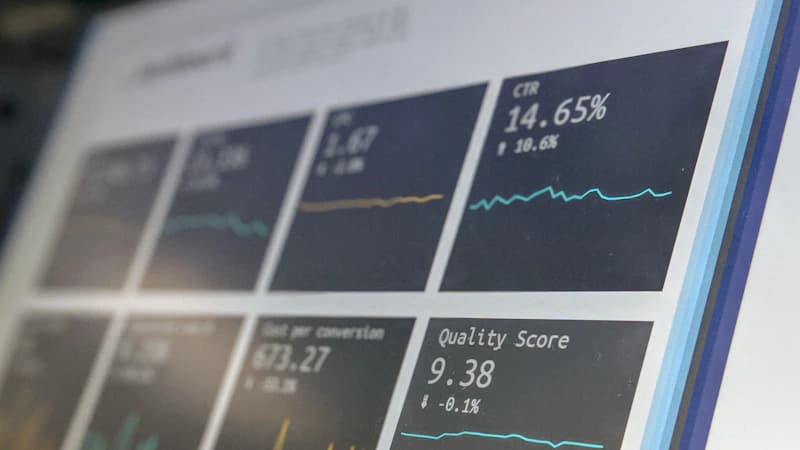
An overall 4.4 feels comfortable. It can also hide a 3.6 on breakfast. Break the number down into arrival, room, cleanliness, breakfast, staff, value and check-out, and the weak spot is obvious at a glance.
| Touchpoint | Typical question | Owner |
|---|---|---|
| Arrival | How was your welcome and check-in? | Front desk |
| Room | How comfortable was your room? | Maintenance |
| Cleanliness | How clean was your room? | Housekeeping |
| Breakfast | How was breakfast? | F&B |
| Staff | How helpful was our team? | Front desk, all teams |
| Value | Was the stay worth the price? | Owner, revenue |
| Check-out | How smooth was your departure? | Front desk |
Then slice again, by room type, by season and by booking channel. Direct guests often rate differently from OTA guests, and that gap is worth investigating on its own. Split by stay purpose too if your data allows it: a business traveler docks points for wifi, a couple for noise.
Here is a typical example. A 30-room hotel sees a healthy room score overall, but the courtyard rooms come in well below the street side. The comments point to early morning deliveries and a thin window seal. Moving the delivery slot and replacing the seals costs a few hundred euros, and the next month's surveys show whether it worked.
Track the trend weekly and set your own benchmark

Look at a rolling 90-day average next to the monthly figure. That way one bad week looks like a dip, not a crisis.
Compare yourself with your own history first: the same month last year, the same room type. Industry-typical ranges exist, but they lump very different hotels together, so treat them as a rough reference and nothing more.
A small dashboard is enough:
- the score
- the response rate
- the number of low scores
- the average time to callback
Set a rhythm. Fifteen minutes on Monday with the front desk lead and housekeeping, and one decision per meeting. Not ten.
Do not chase the number by asking guests for 5 stars at the desk. It distorts the score and guests find it irritating. Fix the stay and the score will follow.
TriggerFlow CRM stores scores on the guest profile, so you can see a returning guest's history before they arrive. The hotel CRM guide covers the rest.
What to do within 24 hours of a low score

Set a threshold, for example 3 out of 5 or below. Anything under it sends an instant alert to the duty manager. This comes on top of the normal review invitation, never in place of it.
The manager calls the guest within 24 hours. A simple script:
- Thank the guest for the honest feedback.
- Listen without defending.
- Name one concrete action.
- Offer a gesture only if it fits the problem.
Log the cause on the guest profile with a category (noise, shower, wifi, breakfast). That way repeat problems show up in the touchpoint split instead of staying in someone's memory.
Close the loop. When the broken shower is fixed or the noisy minibar replaced, tell the guest. Some will update their public review after that call. Even the ones who don't will remember you picked up the phone.
Do not answer a public review with a copy-paste apology. Guests spot it immediately. The review management guide covers public replies.
With TriggerFlow Reviews, every guest gets the review invitation, and a low score also alerts the manager, who calls the guest back. Nobody gets filtered out. For the Google and Booking.com side, see the guide to Google and Booking.com reviews.
Turn the score into decisions: staff, product and pricing
Tie scores to operations. If the weekly breakfast score sits under 4, look at the buffet flow or the opening hours. Nobody needs a new campaign for that.
Read the open comments as well. Tag recurring words (noise, shower, wifi, parking) and count them each month. Ten mentions of parking tell you more than any average.
Guests who scored you high are the ones to approach with a return offer or a loyalty invitation. Our loyalty and upselling tools are built for that follow-up.
The score also backs up your pricing. Once an issue is fixed (say, the rooms have been renovated), a rising score is your evidence that the higher rate is justified.
And share the good news with staff. Post each team's touchpoint score and one guest comment in the back office. People put more effort into a number they can watch move.
Tools: spreadsheet, survey tool or hotel CRM
| Spreadsheet | Standalone survey tool | Hotel CRM | |
|---|---|---|---|
| Setup effort | Low | Low to medium | Medium |
| Automation | None, manual sends | Partial | Send triggered from the stay |
| Alerts | None | Rarely wired to your team | Instant alert on low scores |
| Link to PMS | None | Separate data | Connected to the stay and guest profile |
| Review invitation | Manual | Separate tool | Sent to every guest |
| Cost | Free | Subscription | Free plan or subscription |
A spreadsheet costs nothing and holds up below roughly 10 stays a week. Past that, manual sends slip, and nothing connects to the stay or the guest profile. A standalone survey tool makes nice forms, but the data sits outside the PMS and the alerts rarely reach the person on shift. A hotel CRM sends from the stay, puts the score on the guest profile, alerts on low scores and invites every guest to review.
TriggerFlow publishes its prices in euros per month. Discovery is free (0 €). Communication is 69 € (99 € from 1 January 2027), Conversion is 149 € (179 € from 1 January 2027) and All Inclusive is 249 € (299 € from 1 January 2027). No install fee, no minimum room count, and it connects to the PMS you already use. Details are on the pricing page.
TriggerFlow is used by 300+ hotels, with an average rating of 5/5 (3 Google reviews).
Book a demo and we will build your first score from your own stays.
Stay informed
Receive our latest articles and tips directly in your inbox
Questions hoteliers ask about the guest satisfaction score
What is a good guest satisfaction score for a hotel?
There is no universal threshold, but scores above 4.5 out of 5 are industry-typical for well-run properties. It depends on your category and your scale, so compare with your own history and with similar hotels before any external range.
How do you calculate a guest satisfaction score?
Add up all ratings and divide by the number of responses. For a CSAT percentage, divide the number of guests who gave 4 or 5 by all respondents and multiply by 100.
What is the difference between guest satisfaction score and NPS?
The satisfaction score rates how the stay went. NPS measures how likely guests are to recommend you, on a 0 to 10 scale. Use the score for day-to-day operations and NPS for loyalty trends.
How many responses do I need for a reliable score?
At least 30 responses in the period you analyse, with an eye on your response rate. Below that, read the comments rather than the average.
Can I send the Google review link only to guests who scored high?
No. Choosing who gets the link is review gating, and Google's policy forbids it. Invite every guest, and let a low internal score also alert your manager to call the guest.
How often should I review my guest satisfaction score?
Check low scores daily, the trend weekly and the touchpoint split monthly. A rolling 90-day average stops you overreacting to one bad week.
Ready to automate your guest communication?
Book a demo