
How to Automate Guest Feedback Collection in Hotels
Set up automated guest feedback at your hotel: timing, channels, triggers and alerts. Every guest gets asked, low scores reach a manager fast.
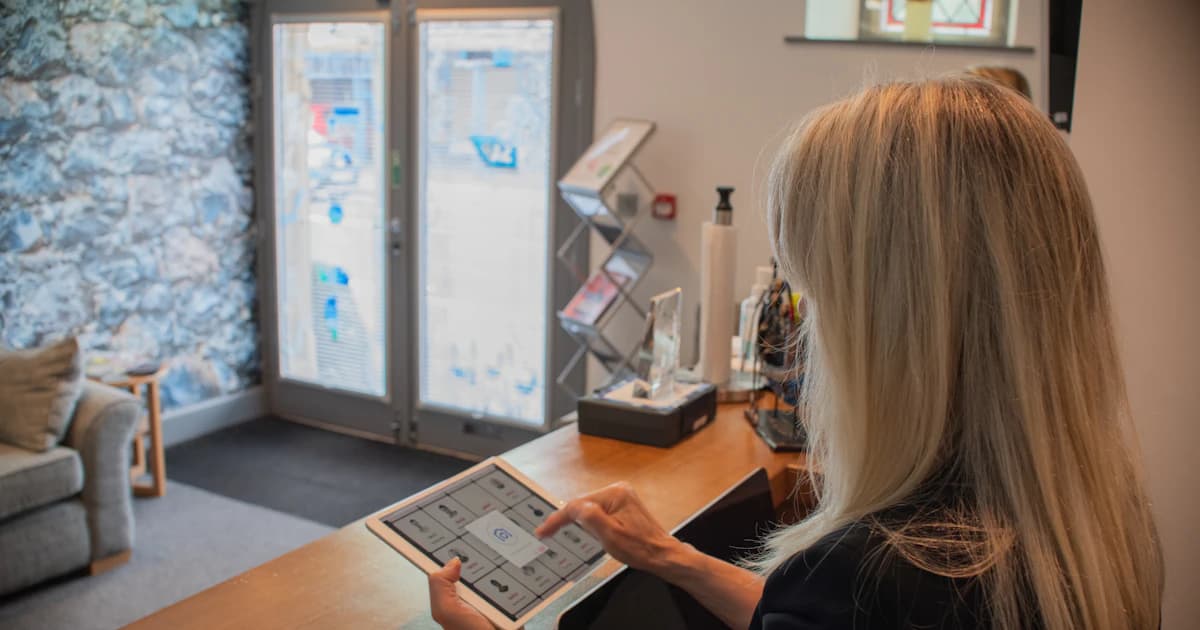
Most hotels already ask for feedback. The problem is that the asking only happens when someone remembers to do it. Reception is swamped at check-out, the email export waits until Monday, and by the time the survey goes out the guest has stopped thinking about your breakfast room.
When you automate guest feedback, the stay data already in your PMS sends the message at the right moment and on the right channel. Your team only gets involved when a guest needs a real person: an unhappy guest who should get a call back, or a recurring problem someone has to fix.
Manual feedback collection misses most of your guests
At most independent hotels the routine goes like this. The front desk asks "how was everything?" while printing the bill. Someone pulls the email addresses on Monday. The survey goes out four days late, and whether it goes out at all depends on who was on shift.
It breaks down in three places:
- Missed guests. Late check-outs, early departures, and OTA guests whose email is a masked relay address never get the message.
- Delay. Guests forget the details of a stay quickly. Send a survey a few days later and you get vague answers, or none.
- No owner. Answers pile up in an inbox or a spreadsheet, and nobody is in charge of reading them.
Automation fixes the first two outright. The third it doesn't fix, but it forces you to decide who owns the answers. Once a check-out in the PMS fires the message, nobody has to remember to send anything. Your staff can spend that time on what needs judgement: calling an unhappy guest and deciding what to fix.
And you get more than a yearly survey nobody opens. You get a steady weekly flow of answers you can compare. That flow tells you noise complaints have doubled since the bar next door opened, before you'd have noticed it yourself.
The building blocks of an automated feedback workflow
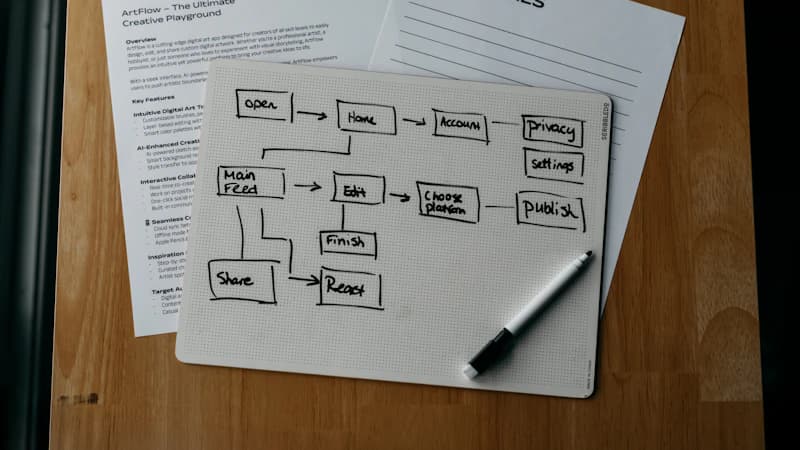
The whole workflow has five parts. The diagram reads: trigger → message → answer → alert → follow-up.
Trigger. A PMS event starts everything: check-in, check-out, or a change of stay status. A hotel CRM picks up these events through its PMS integration, and your PMS stays exactly as it is.
Audience rule. Every guest who checks out with a valid contact gets one invitation per stay. Add a suppression window, a week for instance, so a regular who stays Monday and comes back Friday isn't surveyed twice.
Channel. Email, SMS or WhatsApp, depending on the contact details in the guest record and what guests from that country actually use.
Form. Short and built for a phone. The first question takes one tap, and an optional comment comes after it.
Routing. The score and the comment go onto the guest profile in your CRM, not into a separate spreadsheet. For what else a CRM does for a hotel, see the hotel CRM guide.
Decide who owns each block before you configure anything. Trigger and channel go to whoever manages the PMS. Alerts and callbacks go to the duty manager. If nobody's name is on it, the workflow will be dead within a month.
Timing: when each message should leave
A survey that arrives two days late gets fewer answers, however well it's worded. The windows below are industry-typical starting points. Test them on your own guests.
- Post-stay survey: within 24 hours of check-out. The next morning is a safe default. Business guests sometimes reply the same afternoon, so it's worth testing a shorter delay for them.
- Optional in-stay pulse: on day 2 of any stay of three nights or more, by SMS or WhatsApp. One question: "Is everything fine with your room?" It catches the broken kettle or the noisy neighbour while you can still fix it.
- One reminder at about 72 hours, and no third message. A guest who ignored two has given you their answer.
- Avoid Sunday evenings and early mornings. Use the guest's time zone, not yours.
| Moment | Channel | Question type | Goal |
|---|---|---|---|
| In-stay pulse (day 2) | SMS or WhatsApp | One yes/no or one-tap question | Fix a problem before check-out |
| Post-stay survey (next morning) | Email, SMS as fallback | 3 to 5 questions, one open comment | Comparable scores and comments |
| Reminder (about 72 hours) | Same channel as the survey | Same link, one line of text | Catch guests who meant to answer |
| Public review invitation | Email or SMS, with or right after the survey | Link to your Google page | Invite every guest, whatever the score |
Choosing email, SMS or WhatsApp per guest
Choose the channel guest by guest, based on what you know about each one.
Email suits the full survey best. It leaves room for some context and your branding, and guests can reply when they have a quiet minute. See email automation.
SMS is for in-stay pulses and for guests without a usable email address, which happens a lot with OTA bookings. Send a short line and a link, nothing more. See SMS messaging.
WhatsApp works well with international guests who already messaged you before they arrived: the conversation is already open, and a question there feels like part of it. Check the opt-in rules before you rely on it. See WhatsApp messaging.
Send to one channel at a time and fall back only when needed: email first, then SMS if the email bounces or is missing. If you fire off all three at once, it reads as spam and skews your numbers.
Consent matters here. Service feedback can often rest on legitimate interest, but marketing messages need consent. Put an unsubscribe link in every message, store the date consent was given, and keep marketing use separate from survey use. This is practical guidance, not legal advice, so check your setup with your data protection contact.
Write a survey guests finish in under a minute
Stick to three to five questions: an overall rating or NPS, one about the room, one about the staff, and an open comment.
Let guests answer the first question straight from the message, in one tap. A guest who stops after that tap still gives you a score, and a partial answer beats no answer.
Three mistakes show up in almost every first draft:
- Asking for data you already hold. Name, room number and dates are already in the PMS. Don't make a guest type them in.
- Double-barrelled questions. "Was the room clean and quiet?" has no honest answer when the room was clean but loud.
- Fiddly scales. Eleven tiny radio buttons squeezed onto a phone screen frustrate people. Use five stars, or a 0 to 10 row with large buttons.
Add conditional logic. A score of 6 or below opens a "What went wrong?" field. A high score opens "What did you enjoy most?" Both answers go onto the guest profile, and you'll use both. You can build this with forms.
If you need wording, the question bank has examples for each department, and the survey guide covers the full method.
Low scores alert a manager, high scores still get the review invitation
One rule is not up for discussion: every guest gets the invitation to leave a public review, whatever score they gave. Sending your Google link only to happy guests is called review gating. It breaks Google's policy and puts your listing at risk.
A low score adds a step. It never removes one. On top of the review invitation, an alert goes to the duty manager by email or SMS, and someone calls the guest back within a day.
In practice:
- Set the threshold with the team. For example NPS 6 or below, or 3 stars or fewer out of 5.
- Name the person who owns the callback, plus a backup for their days off.
- Follow a three-part call. Thank the guest. Name the specific issue they raised (a generic apology doesn't count). Then offer a concrete fix or gesture.
- Log the outcome on the guest profile, so nobody asks the same guest the same question twice.
An unhappy guest who gets a call from the manager feels heard, and that conversation stays private. Meanwhile your public reviews reflect what stays are really like, not a hand-picked sample. For how Google and Booking.com handle reviews, see Google and Booking reviews for hotels. The reviews module handles invitations and alerts in one place.
Never make the review link depend on the score, even with a soft rule like "only if they answered 9 or 10". Everyone gets the same invitation.
Where the answers go: guest profile, team, next stay

Every answer should be stored on the guest's profile in the CRM, so reception sees past feedback the next time that guest arrives. If someone complained about street noise last time, give them a courtyard room this time. They will notice.
Then set a routine for the team. Fifteen minutes once a week is enough:
- the three most frequent complaints
- the three most frequent compliments
- one decision, with a name next to it
Tag comments by theme (breakfast, noise, check-in, cleanliness). Patterns then show up without anyone having to read every comment.
Then tell guests what changed, in the next newsletter or in a short message to the people who raised the issue. It takes ten minutes, and guests remember the hotel that wrote back.
Use the data of satisfied guests for loyalty or direct-booking offers only within the consent they gave you. To handle replies to public reviews, the review management guide walks through it step by step.
Stay informed
Receive our latest articles and tips directly in your inbox
What a PMS does, what a survey app does, what a hotel CRM covers
Hoteliers often mix up these three tools, but each one does a different job.
| PMS | Standalone survey app | Hotel CRM | |
|---|---|---|---|
| Holds stay and reservation data | Yes | No, needs an import | Reads it from the PMS |
| Sends surveys automatically from stay events | Rarely, and basic | Only with a connector | Yes |
| Email, SMS and WhatsApp in one place | Limited | Usually email only | Yes |
| Low-score alert to a manager | Rarely | Sometimes | Yes |
| Answers stored on the guest profile | No | No, they stay in the app | Yes |
| Review invitations for every guest | No | Sometimes | Yes |
The PMS runs the hotel's operations. A survey app collects answers but has no idea who the guest is or what happened during the stay. A hotel CRM connects the two: it reads the PMS, sends the messages, collects the answers and files them where your team already works.
TriggerFlow does all of that in one tool, built for independent hotels. It connects to the PMS you already use, and the free Discovery plan lets you try the approach without signing a contract. Current prices are on the pricing page. There's no install fee and no minimum number of rooms. 500+ hotels already use it.
A setup you can finish this week
Step 1: connect the PMS and check your data. Make sure the email and mobile fields get filled in at check-in. An hour with the front desk on this matters more than which tool you pick.
Step 2: write a four-question survey and the invitation message. Write them in the languages of your top three source markets.
Step 3: set the timings. Day-2 pulse, next-morning survey, 72-hour reminder, and the fallback channel.
Step 4: set the low-score threshold. Name the owner and the backup.
Step 5: test with five internal stays. Then read the first two weeks of answers before you change anything. Early numbers jump around, so don't rewrite the survey after three replies.
Track three numbers: response rate, the share of low scores called back within 24 hours, and themes month by month. Here is the average time hotels using TriggerFlow save:
Want to see this workflow running on your own PMS? Book a demo.
Frequently asked questions
Can I automate guest feedback without replacing my PMS?
Yes. A hotel CRM connects to the PMS you already use and reads stay data to trigger the survey. Your PMS stays as it is. If you want to be sure about yours, ask during a demo.
When is the best time to send a post-stay survey?
Within 24 hours of check-out, usually the next morning. Send one reminder at about 72 hours, then stop.
Should I send the Google review link only to happy guests?
No. Choosing who receives the link is review gating, and Google's rules forbid it. Invite every guest. A low score also triggers an alert so a manager calls the guest back.
How many questions should an automated hotel survey have?
Three to five. For most independent hotels, one rating or NPS question, one on the room, one on the staff or service, and one open comment is enough.
Is automated feedback collection GDPR compliant?
Yes, as long as service feedback rests on a valid legal basis, every message has an unsubscribe option, you store consent dates, and marketing use stays separate. Confirm your setup with your data protection contact.
How much does it cost to automate guest feedback?
You can start for free with TriggerFlow's Discovery plan. The paid plans have no install fee, and their current prices are always up to date on the pricing page.
Ready to automate your guest communication?
Book a demo